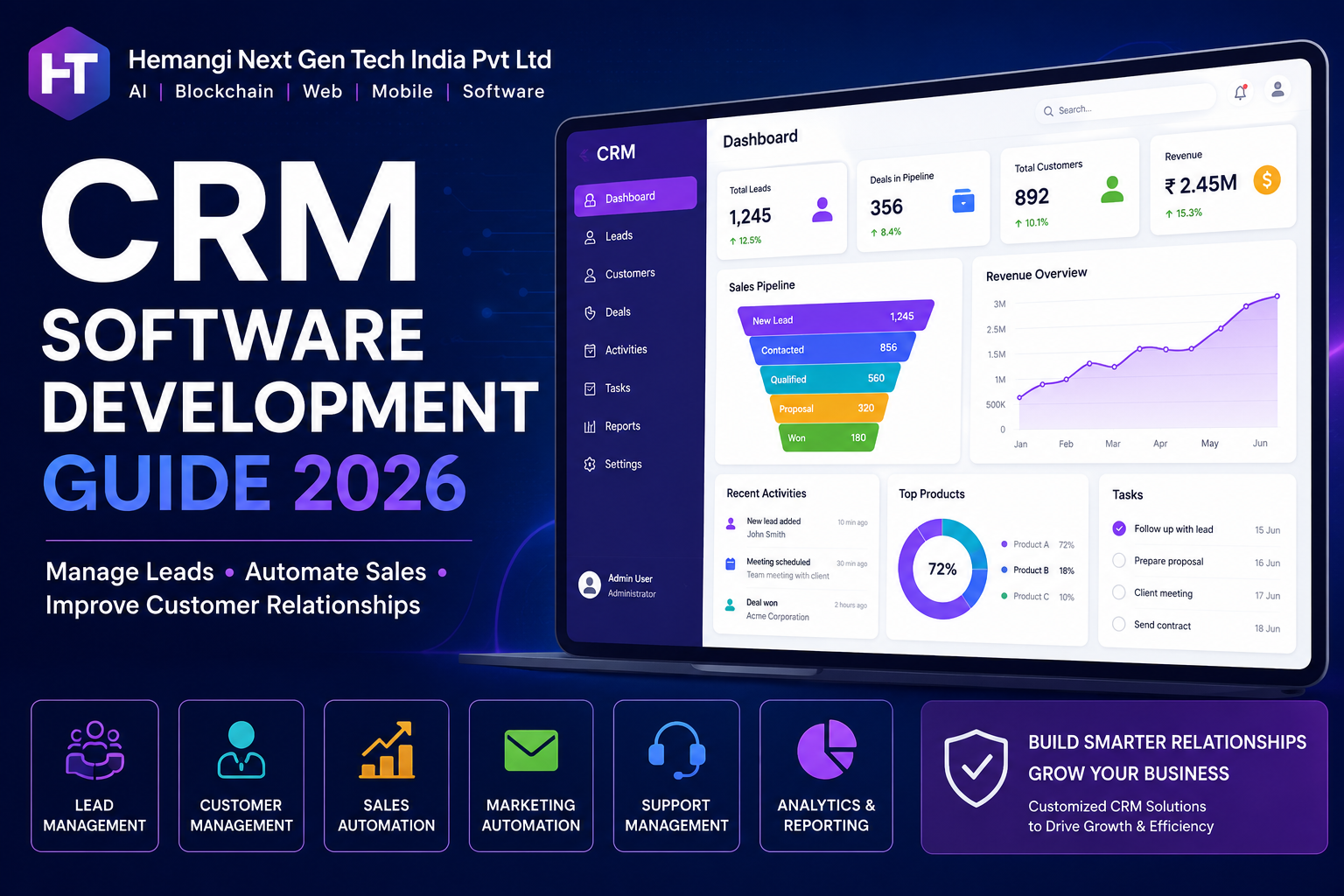
CRM Software Development Guide (2026 Complete Business Guide)
Customer Relationship Management (CRM) software has become one of the most important business tools for companies looking to improve customer engagement, sales performance, and operational efficiency. In today's competitive market, businesses need a centralized platform to manage leads, customers, communication, sales pipelines, and support operations.
This CRM Software Development Guide explains everything businesses need to know about CRM solutions, their benefits, essential features, development process, and implementation strategies.
What is CRM Software?
CRM (Customer Relationship Management) software is a system that helps businesses manage customer interactions, sales activities, marketing campaigns, support tickets, and business relationships from a single platform.
A CRM solution allows organizations to track customer journeys, manage leads, automate workflows, improve communication, and make data-driven decisions.
Why Businesses Need CRM Software?
Modern businesses interact with customers through multiple channels including websites, social media, email, phone calls, and mobile applications. Managing these interactions manually can lead to inefficiencies and missed opportunities.
CRM software helps businesses:
• Centralize customer information
• Improve sales management
• Enhance customer experience
• Increase customer retention
• Automate repetitive tasks
• Improve team collaboration
• Generate actionable insights
• Increase revenue and productivity
Key Features of CRM Software
Lead Management
Lead management enables businesses to capture, organize, track, and nurture potential customers throughout the sales funnel.
Features include:
• Lead capture forms
• Lead scoring
• Lead assignment
• Lead tracking
• Sales pipeline management
Customer Management
Customer management provides a complete view of customer information and interaction history.
Features include:
• Customer profiles
• Contact management
• Activity tracking
• Purchase history
• Communication records
Sales Automation
Sales automation helps businesses reduce manual work and improve sales efficiency.
Features include:
• Workflow automation
• Follow-up reminders
• Task management
• Quote generation
• Sales forecasting
Marketing Automation
CRM systems often integrate marketing tools to improve customer acquisition and engagement.
Features include:
• Email marketing
• Campaign management
• Customer segmentation
• Lead nurturing
• Marketing analytics
Customer Support Management
Support modules help businesses deliver better customer service.
Features include:
• Ticket management
• Knowledge base
• Live chat integration
• Service history
• Customer feedback tracking
Analytics and Reporting
Advanced reporting provides valuable business insights.
Features include:
• Sales reports
• Customer reports
• Team performance dashboards
• Revenue analytics
• Forecasting tools
Types of CRM Software
Operational CRM
Focuses on sales, marketing, and customer service automation.
Analytical CRM
Uses customer data and analytics to improve business decision-making.
Collaborative CRM
Improves communication and collaboration across departments.
Industry-Specific CRM
Designed for industries such as healthcare, real estate, finance, education, logistics, and manufacturing.
Custom CRM vs Ready-Made CRM
Custom CRM Advantages
• Tailored to business requirements
• Scalable architecture
• Better integration capabilities
• Enhanced security
• Full ownership of the platform
• Competitive business advantage
Ready-Made CRM Advantages
• Faster deployment
• Lower initial cost
• Standard features
• Vendor support
CRM Software Development Process
Step 1: Requirement Analysis
Understand business workflows, goals, customer journey, and operational challenges.
Step 2: Planning & Architecture
Define system architecture, database structure, modules, user roles, and integrations.
Step 3: UI/UX Design
Design intuitive dashboards and user-friendly interfaces.
Step 4: Development
Build frontend, backend, APIs, workflows, and automation features.
Step 5: Integration
Integrate payment gateways, ERP systems, email platforms, telephony systems, and third-party tools.
Step 6: Testing
Perform security testing, functionality testing, performance testing, and user acceptance testing.
Step 7: Deployment
Launch the CRM solution in production environments.
Step 8: Maintenance & Upgrades
Provide ongoing support, feature updates, and performance optimization.
Technologies Used in CRM Development
Frontend Technologies
• React.js
• Next.js
• Angular
• Vue.js
Backend Technologies
• Node.js
• PHP
• Python
• .NET
Database Technologies
• MySQL
• PostgreSQL
• MongoDB
Cloud Infrastructure
• AWS
• Microsoft Azure
• Google Cloud
CRM Software Development Cost
CRM development cost depends on project complexity, features, integrations, and deployment requirements.
Basic CRM:
₹2,00,000 – ₹5,00,000
Mid-Level CRM:
₹5,00,000 – ₹15,00,000
Enterprise CRM:
₹15,00,000 – ₹50,00,000+
Industries Using CRM Software
• Healthcare
• Real Estate
• Banking & Finance
• Insurance
• Manufacturing
• Education
• Logistics
• E-Commerce
• SaaS Companies
• Consulting Firms
Future of CRM Software
Modern CRM systems are rapidly evolving with technologies such as:
• Artificial Intelligence
• Machine Learning
• Predictive Analytics
• Chatbots
• Voice Assistants
• Customer Behavior Analysis
• Automated Recommendations
Businesses adopting AI-powered CRM solutions can significantly improve customer engagement, operational efficiency, and sales performance.
Conclusion
CRM software has become a critical business tool for managing customer relationships, increasing sales, improving customer satisfaction, and driving long-term growth. Whether you're a startup, SME, or enterprise, investing in a custom CRM solution can provide substantial competitive advantages.
Organizations looking for scalable, secure, and customized CRM software should focus on solutions that align with their business objectives while supporting future growth and digital transformation.
FAQ Section
Q1. What is CRM software used for?
CRM software helps businesses manage customers, leads, sales activities, marketing campaigns, and customer support operations from a centralized platform.
Q2. How much does CRM software development cost?
CRM software development typically costs between ₹2,00,000 and ₹50,00,000+ depending on features, integrations, and complexity.
Q3. What are the main features of CRM software?
Common features include lead management, customer management, sales automation, marketing automation, reporting, analytics, and customer support management.
Q4. Which businesses need CRM software?
CRM software is useful for startups, SMEs, enterprises, healthcare organizations, real estate companies, financial institutions, and e-commerce businesses.
Q5. What is the difference between custom CRM and ready-made CRM?
Custom CRM solutions are tailored to business requirements and offer greater flexibility, while ready-made CRM platforms provide standard features with faster deployment.